
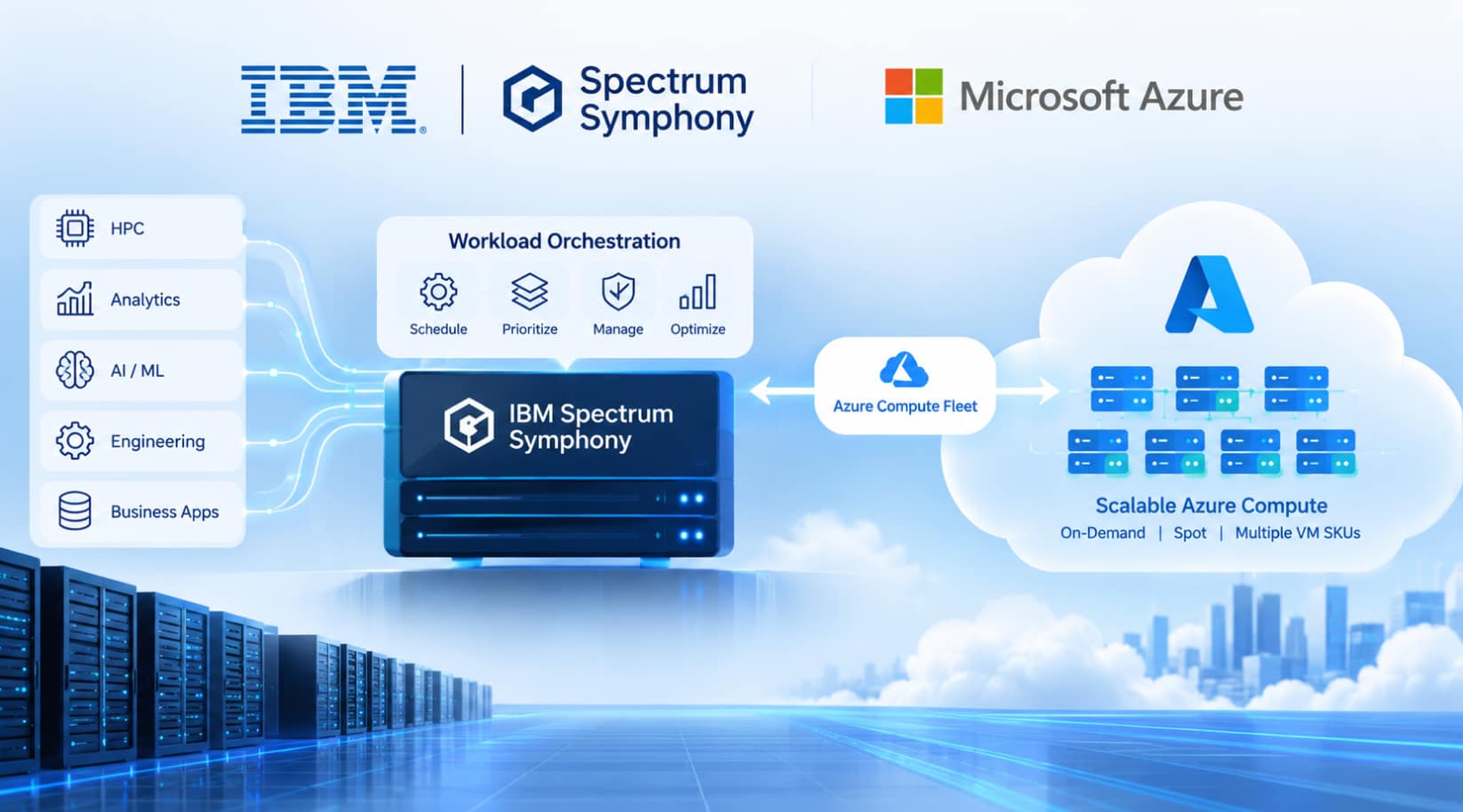
How IBM and Microsoft are bringing elastic cloud capacity, intelligent resource allocation, and cost optimization to enterprise HPC and compute-intensive workloads.
Enterprise organizations running high-performance computing (HPC), financial analytics, engineering simulations, and large-scale data processing face a common challenge: how to meet fluctuating workload demand without permanently investing in infrastructure for peak capacity.
The answer isn’t always to move everything to the cloud. For many enterprises, the priority is to extend their established computing environments while preserving the workload scheduling, policies, and operational practices they already depend on.
That’s the opportunity behind the collaboration between IBM and Microsoft to bring IBM Spectrum Symphony workload orchestration to Microsoft Azure through Azure Compute Fleet.
Announced in September 2026, the IBM Spectrum Symphony Provider Plugin for Microsoft Azure Compute Fleet enables organizations to dynamically provision Azure compute capacity as workload demand changes. It connects IBM Spectrum Symphony’s Host Factory capability with Azure Compute Fleet, providing a more flexible way to extend existing Symphony clusters into the cloud.
The collaboration combines IBM’s enterprise workload orchestration with Microsoft’s cloud infrastructure and capacity management capabilities.
The result: a practical path toward elastic hybrid computing without changing how applications submit workloads to IBM Spectrum Symphony.
Why this matters for enterprise computing
Compute-intensive workloads rarely maintain a constant demand for infrastructure.
A financial institution might need substantial computing capacity for overnight risk calculations, regulatory reporting, and scenario analysis. Engineering organizations may experience spikes during simulations, while scientific computing environments can require large clusters for specific research workloads.
Maintaining infrastructure for the highest anticipated demand can leave resources underutilized during quieter periods. Provisioning too little capacity can increase queue times and put processing deadlines at risk.
This is where workload orchestration and elastic infrastructure work together.
IBM Spectrum Symphony manages workload scheduling and execution. Azure Compute Fleet provides access to eligible Azure virtual machine capacity across multiple VM families and purchasing options.
By connecting the two, organizations can request additional compute resources when needed and return them when demand declines.
Rather than choosing between existing infrastructure and the cloud, enterprises can build a hybrid model that uses both.
How IBM Spectrum Symphony and Azure Compute Fleet work together
The integration introduces an azurefleet provider plugin into the IBM Spectrum Symphony Host Factory feature.
Host Factory connects Symphony’s demand for additional execution hosts with the Azure infrastructure needed to provision them.
The architecture separates workload management from infrastructure provisioning:
- IBM Spectrum Symphony manages workload orchestration, scheduling, priorities, and execution.
- IBM Host Factory identifies resource demand and coordinates requests for additional hosts.
- The Azure Compute Fleet provider plugin translates resource requests into Azure Compute Fleet provisioning operations.
- Microsoft Azure Compute Fleet requests suitable virtual machine capacity across supported VM types and purchasing models.
The process follows a demand-driven cycle.
- Symphony workload demand increases beyond the available execution capacity.
- Host Factory requests additional hosts through the Azure Compute Fleet provider.
- Azure Compute Fleet provisions eligible virtual machines based on configured resource requirements and allocation strategies.
- The new hosts join the Symphony environment and begin executing workloads.
- As demand decreases, excess resources can be returned.
The important distinction is that Symphony continues to manage the workloads, while Azure Compute Fleet manages access to the underlying compute capacity.
For enterprises with established Symphony environments, this separation helps preserve existing workload-management practices while adding another source of infrastructure.
Five benefits of the IBM and Microsoft collaboration
1. Greater access to available compute capacity
Azure Compute Fleet can request capacity across multiple eligible VM SKUs in a single deployment. This provides more flexibility than depending on one virtual machine type.
The IBM technical implementation guide highlights several potential advantages over direct provisioning, including a higher probability of obtaining capacity and faster fulfillment of large capacity requests.
Actual results depend on Azure capacity availability, quotas, configuration, and workload requirements.
2. Better use of Spot capacity
Azure Spot Virtual Machines can offer cost advantages for workloads that can tolerate interruptions.
The integration supports configurable combinations of Spot and on-demand capacity, allowing organizations to tailor resource allocation to workload characteristics.
For example, interruption-tolerant batch processing may be suitable for Spot capacity, while jobs with tighter availability requirements may need a different allocation.
The goal is to align infrastructure purchasing decisions with workload priorities rather than apply a single approach to every job.
3. More responsive infrastructure scaling
Enterprises can extend their Symphony environments into Azure when demand exceeds available capacity.
This can help organizations handle workload peaks without permanently maintaining enough infrastructure for every possible demand scenario.
It also creates an opportunity to evaluate cloud bursting incrementally, starting with workloads that have clear capacity requirements and measurable performance objectives.
4. Continuity for established workload environments
Many organizations have invested years developing Symphony scheduling policies, queues, priorities, and operational processes.
Cloud adoption doesn’t necessarily require replacing those investments.
By retaining Symphony as the orchestration layer, organizations can explore additional Azure capacity while continuing to use their established approach to workload submission and management.
5. More control over infrastructure cost and allocation
The integration supports configuration choices for VM types, resource requirements, and allocation strategies.
Administrators can rank eligible VM SKUs, configure Spot allocation strategies, and specify the proportion of requested capacity allocated to on-demand instances.
These controls provide flexibility to balance cost, availability, and resource requirements. However, they don’t guarantee a particular level of savings or performance; those outcomes depend on workload behavior and the environment’s configuration.
What the technical implementation involves
Microsoft’s announcement explains the business value and architecture of the integration. IBM’s technical blog provides the practical implementation details.
According to the IBM guide, the documented implementation requires IBM Spectrum Symphony 7.3.2 with Fix 602717, along with the Host Factory provider update identified in the guide.
The deployment process includes several key steps:
1. Prepare the Symphony environment. Stop Host Factory cleanly and install the required fix on each management host, following IBM’s documented procedure.
2. Enable the Azure Compute Fleet provider. Configure the azurefleet plugin and its provider instance, either through the cluster management console where supported or through the relevant JSON configuration files.
3. Configure Azure authentication and permissions. The provider supports a service principal or managed identity. Administrators must configure the required Azure permissions and access to the relevant resources.
4. Define host templates. Specify the Azure VM types, image, CPU and memory attributes, networking, resource group, and allocation strategies. These settings determine which resources Azure can provision for Symphony.
5. Tune provisioning behavior. Configure Host Factory timeouts and batch limits appropriately for large provisioning and return operations, taking Azure quotas and expected scale into account.
6. Validate the environment. Submit workloads that require more hosts than are currently available, confirm that the provider requests capacity successfully, and verify that the provisioned machines join the Symphony cluster and execute jobs as expected.
This is an infrastructure integration, so networking, permissions, VM image preparation, quotas, and resource configuration all matter. Organizations should follow the official IBM documentation for the complete prerequisites, installation steps, configuration parameters, and rollback procedures.
For implementation details, see the IBM technical walkthrough.
Where this can make a difference
Financial services
Financial institutions run computationally intensive workloads for market and credit risk, valuation, Monte Carlo simulations, and regulatory reporting.
These workloads can have demanding processing windows and fluctuating capacity requirements. Elastic infrastructure can provide another option for handling peaks while maintaining Symphony’s role in workload orchestration.
Engineering and manufacturing
Simulation, modeling, and engineering analysis can require significant compute capacity for specific projects or processing cycles.
Cloud bursting can help organizations access additional resources when needed instead of permanently provisioning for the highest anticipated demand.
Scientific computing and life sciences
Research and computational analysis often involve large batches of jobs with varying resource requirements.
Access to additional eligible VM capacity can provide flexibility when local infrastructure is insufficient for a particular workload peak.
Across these scenarios, the business case should be evaluated workload by workload. Data movement, licensing, network latency, availability requirements, and cloud costs can influence whether bursting is the right approach.
What enterprises should consider before adopting cloud bursting
Elastic infrastructure can create significant opportunities, but successful implementation requires more than connecting an orchestration platform to a cloud provider.
Organizations should evaluate several practical considerations:
- Workload suitability: Identify jobs that benefit from additional capacity and determine whether they can tolerate Spot interruptions where applicable.
- Data access: Assess data-transfer requirements, network architecture, and the location of dependent services.
- Performance: Establish baseline execution times and determine how cloud-based execution affects throughput and end-to-end processing.
- Cost management: Consider VM charges, data transfer, storage, utilization, and the cost of provisioning and returning resources.
- Security and governance: Configure appropriate identities, permissions, network controls, and operational policies.
- Capacity planning: Validate quotas, VM availability, allocation settings, and fallback strategies before scaling up.
A focused proof of concept can help establish which workloads are appropriate for Azure bursting and whether the approach delivers measurable business value.
The bigger picture: workload orchestration meets elastic cloud infrastructure
The IBM and Microsoft collaboration reflects a broader shift in enterprise computing.
Organizations increasingly need infrastructure that adapts to workload demand rather than forcing workloads to operate within fixed capacity limits.
But elasticity alone isn’t enough. Enterprises also need scheduling, prioritization, operational controls, and a way to align infrastructure choices with business requirements.
By combining IBM Spectrum Symphony’s workload orchestration with Azure Compute Fleet’s capacity management, the integration brings these capabilities together.
For existing Symphony customers, it offers a way to extend established computing environments into Azure. For organizations evaluating hybrid HPC, it provides another option for balancing existing infrastructure with cloud capacity.
The objective is not to move every workload to the cloud. It is to make compute capacity more responsive to the workloads that need it.
That is the real opportunity: combining enterprise workload orchestration with elastic infrastructure to help organizations balance performance, availability, and cost as computing demand evolves.
Further reading
- Microsoft announcement: Microsoft and IBM bring enterprise-scale workload orchestration to Azure with IBM Spectrum Symphony
- IBM technical guide: Bursting IBM Spectrum Symphony into Microsoft Azure with the new Azure Compute Fleet cloud provider
- Product information: IBM Spectrum Symphony
- Azure Compute Fleet plugin: Microsoft Azure Marketplace
The views expressed in this article are my own.